
4.9 Ratings based on 1,000+ reviews
What if invoicing took only 4 clicks?

Invoice your clients in just 4 clicks !
Invoicing Click starts at $8 per month and one time set up fee depending on your unique customizations tailored to your business !
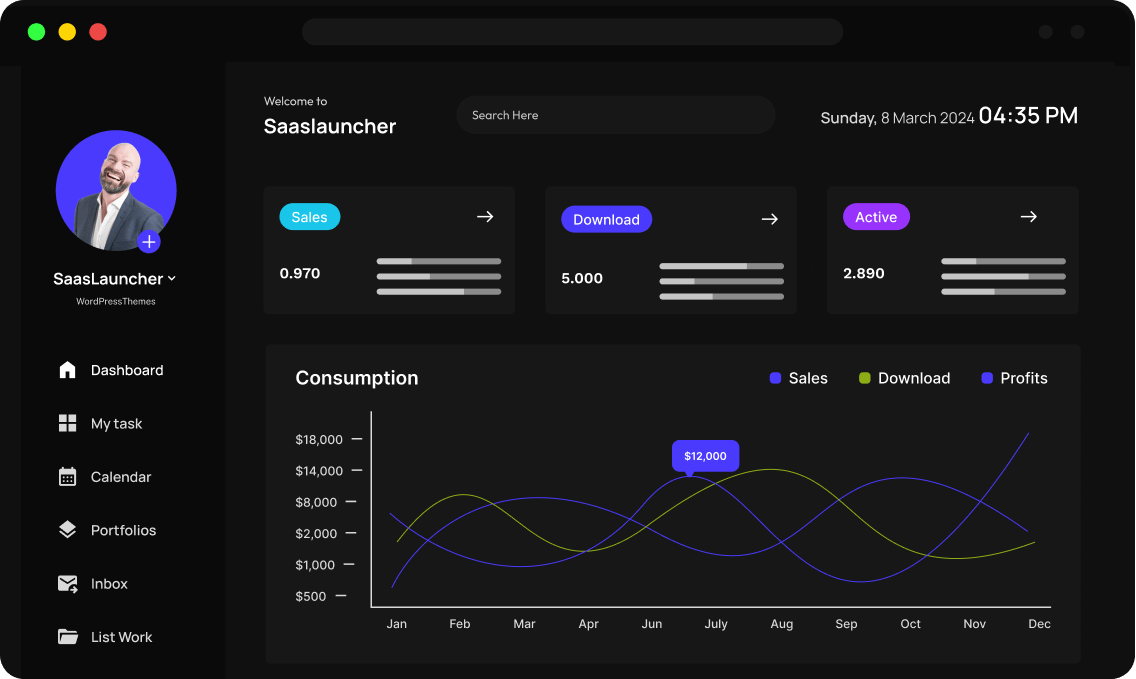
Seamless Integration with Your Favorite Tools






Features & Benefits
The Complete Invoicing System Tailored for you !
Questions ? Call us at (310) 844-6688

Scalability & Flexibility
An Invoicing System adjusted to your Needs !

Demo Video
Customized for our vector art services. Orders are sent to clients daily via email, reducing workload by 55% by Invoicing Automation !
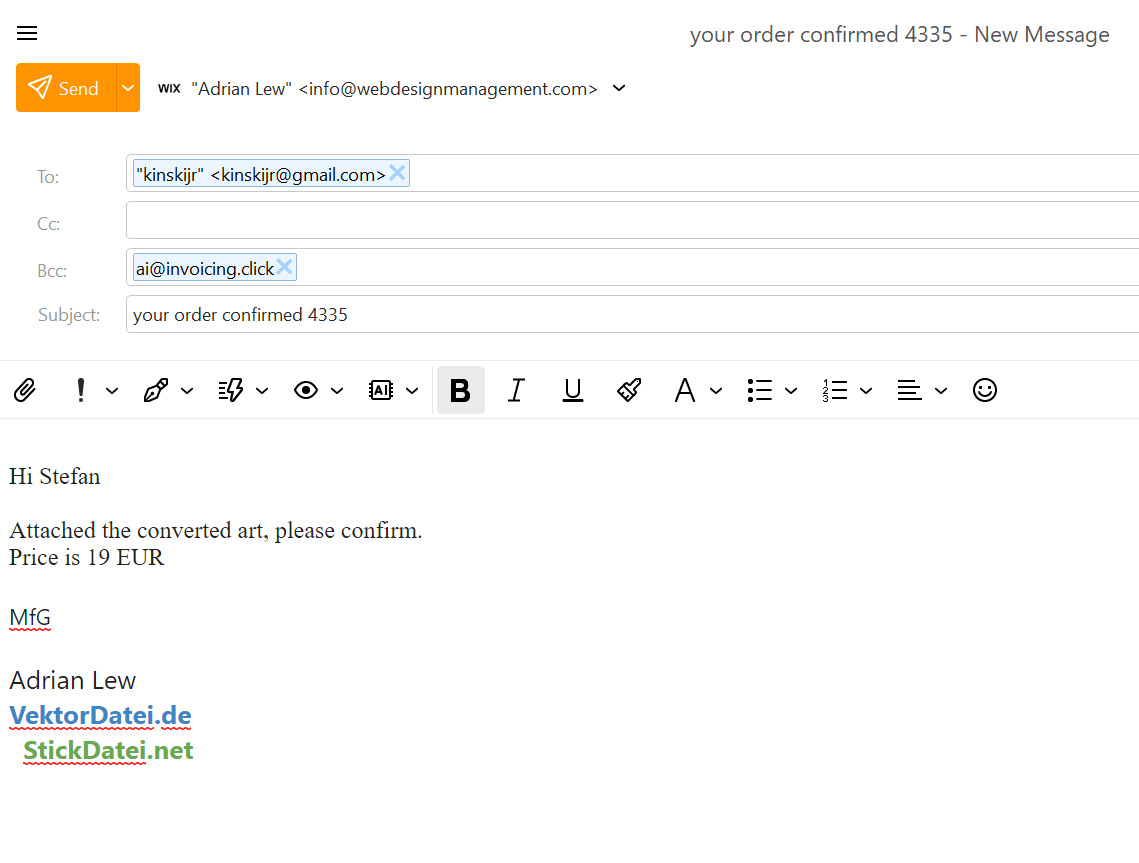
Step 1
Send order confirmation to your client or finish product perfect for digital art or files. BBC ( ai@invoicing.click ) and our system will start adding orders from this client to your invoice !
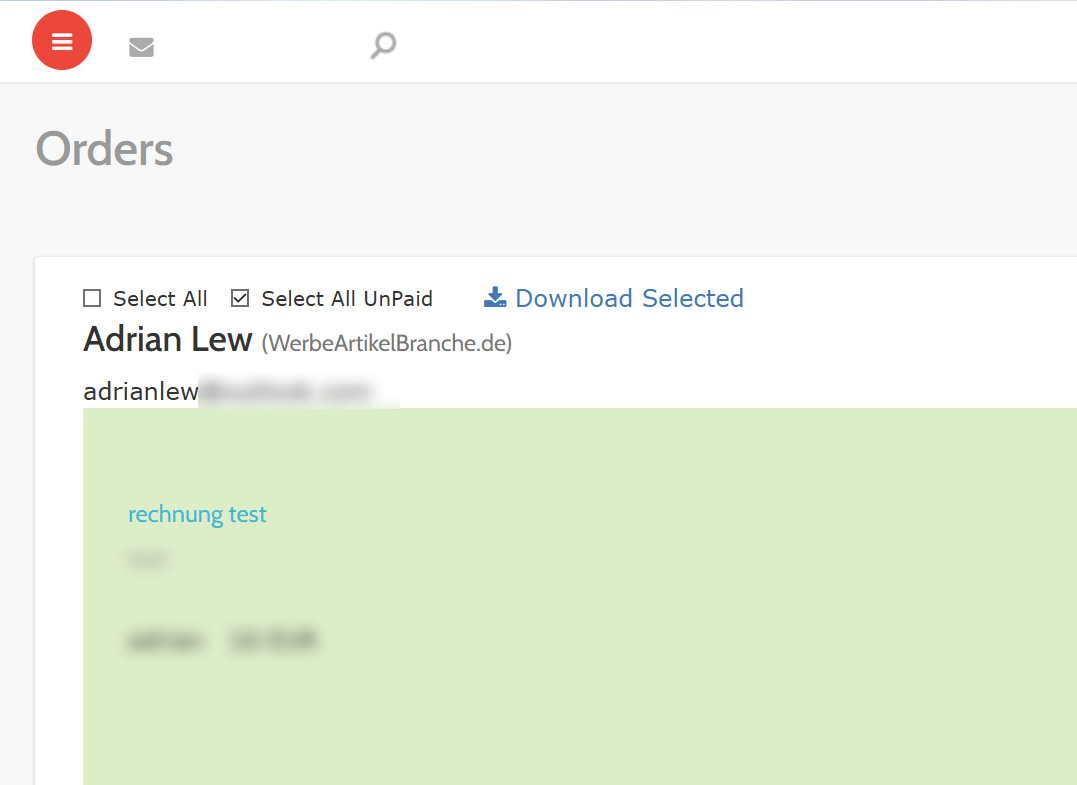
Step 2
Log in to the invoicing system anytime to export all orders from your client / clients !
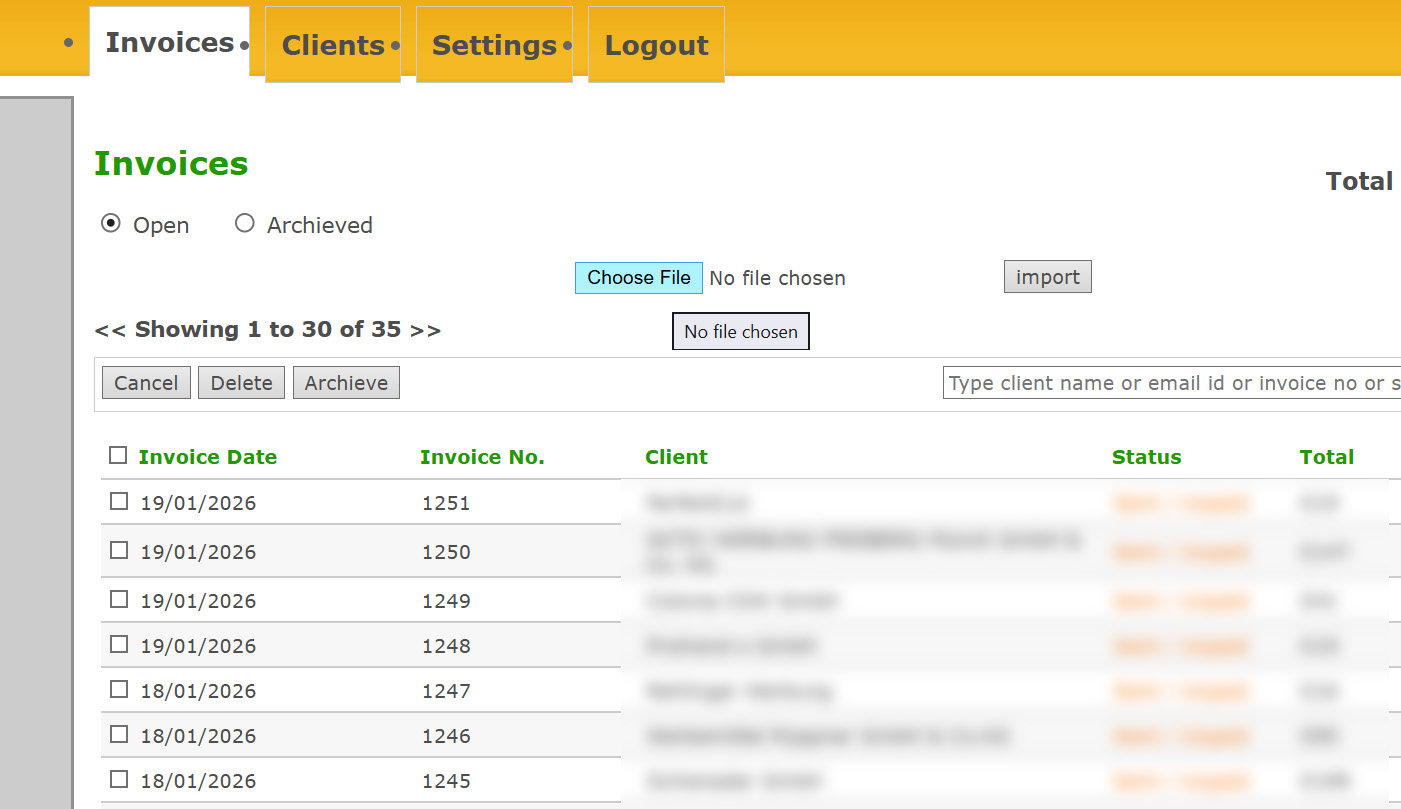
Step 3
Import invoicing click file to our system to create your invoice !
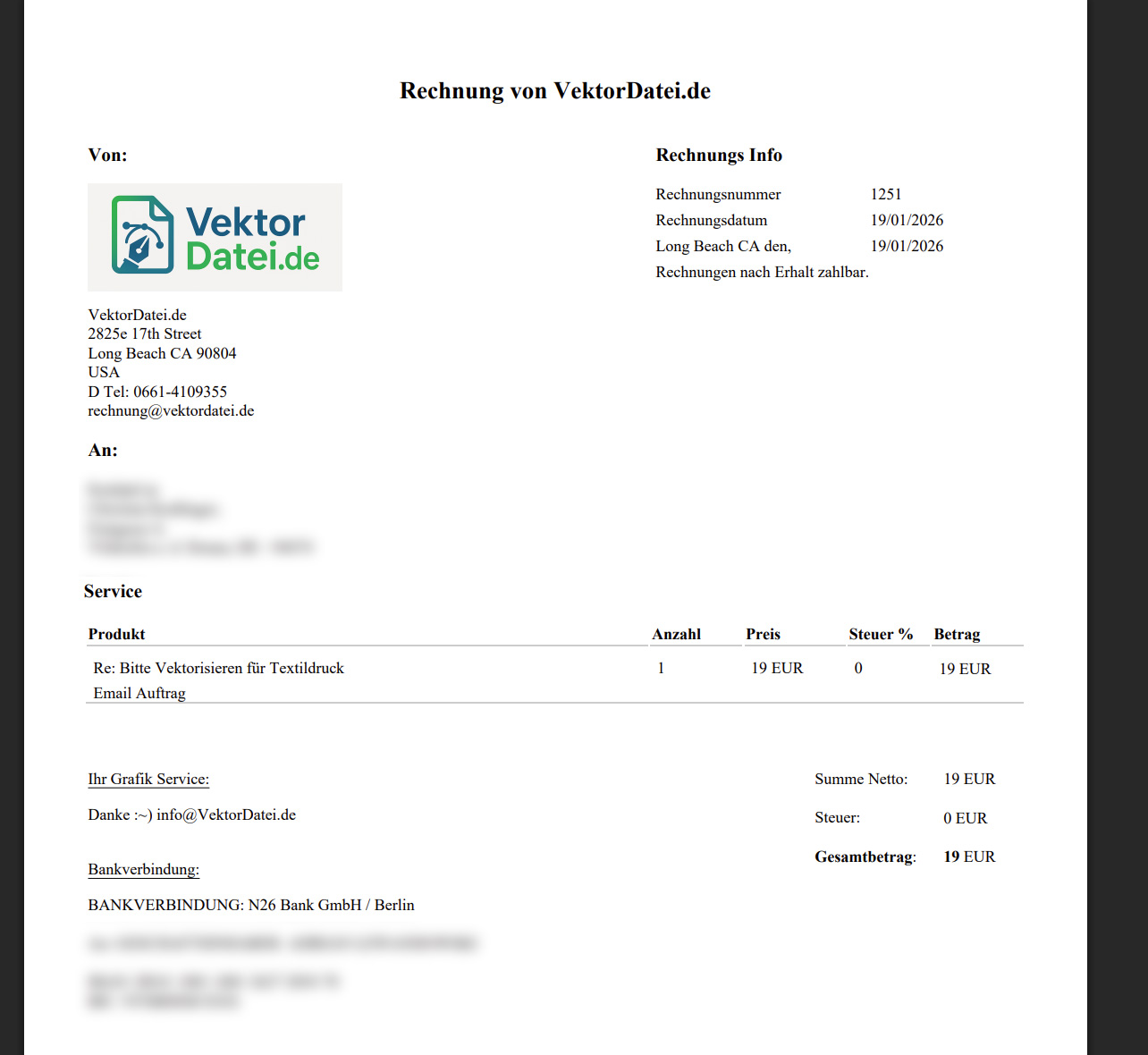
Step 4
review invoice and with one click you can send it to the client or download pdf copy for your files !
2026
We Don’t Just Offer Software — We Offer Solutions
Customized to your needs !

Invoicing.Click
Analytics & Reporting
Intelligent Insights at Your Fingertips
Lorem ipsum is placeholder text commonly used in the graphic, print, and publishing industries for previewing layouts and visual mockups.
Growth & Scaling
Unmatched Flexibility and Scalability
Lorem ipsum is placeholder text commonly used in the graphic, print, and publishing industries for previewing layouts and visual mockups.

Invoicing.Click

Invoicing.Click
AI Automation
Transform Your Workflow with AI Automation
on request we can also implement Ai for even more automation !
Testimonials & Reviews
Hear From Our Clients: Their Stories
by WebDesignManaagement.com
Made in California !

Emily R.
Marketing Lead

We switched from a legacy tool, and I can’t believe the difference. Setup was a breeze, and every question I had was answered within minutes. That level of care is rare.

Mark T
Startup Founder
I love how everything just works. No steep learning curve, no messy configurations—just a clean, powerful product that delivers what it promises.

John Doe
Founder
Beyond the robust features, what really impressed me was the onboarding support. They walked me through everything step-by-step and made us feel valued.

Jason M
Product Manager
The features are great, but the support team truly sets this SaaS apart. From onboarding to daily use, their quick responses and helpful guidance made the whole experience smooth and stress-free. It feels like we have a real partner, not just a service.

Lena K
UX Consultant
This SaaS solution is a gem. It adapts perfectly to our needs, scales effortlessly, and the team behind it feels more like a partner than a provider.

Aliana Lorel
Founder – Lorel Technology
As someone who’s tried countless tools, this one stands out. Performance is solid, updates are regular, and customer service? Simply outstanding.

Sara D
Freelancer
This platform completely transformed how we manage our workflow. The intuitive UI, along with a support team that truly cares, makes it one of the best SaaS experiences I’ve had.

David V
IT Director
Smooth, fast, and reliable. Our team instantly became more productive. The personalized help during onboarding made a huge difference.

Peter Brandson
Owner – Brandson Industry
User-friendly, beautifully designed, and packed with functionality. I’ve never experienced such responsive support. Worth every penny.
Latest News & Articles
made in California !
Frequently Asked Questions
Got Questions? We’ve Got Answers.
by WebDesignManagement.com
How does Invoicing Click works ?
any order and pricing confirmation send to your client will be recorded by our system for each individual client. Once a month you just click and export all orders, in the invoicing system just click and import the order file and our system will create the invoice ready to be send ! It all took only 4 Clicks…..
Customization to your needs
Full Site Editing in WordPress refers to a feature that allows users to create and edit their website’s entire layout, including the header, footer, and other structural elements, using a visual editor.
Full Branding
To enable Full Site Editing in WordPress, you need to ensure that you are using a compatible WordPress theme that supports Full Site Editing. You will also need to install the latest version of WordPress and enable the Gutenberg editor.
One Time Set up Fee
Full Site Editing in WordPress refers to a feature that allows users to create and edit their website’s entire layout, including the header, footer, and other structural elements, using a visual editor.
additional changes or feature requests
To enable Full Site Editing in WordPress, you need to ensure that you are using a compatible WordPress theme that supports Full Site Editing. You will also need to install the latest version of WordPress and enable the Gutenberg editor.
What are the benefits ?
Full Site Editing in WordPress refers to a feature that allows users to create and edit their website’s entire layout, including the header, footer, and other structural elements, using a visual editor.

Try It Free !
Get started without limits. Explore all features at your own pace — upgrade only when your business grows.